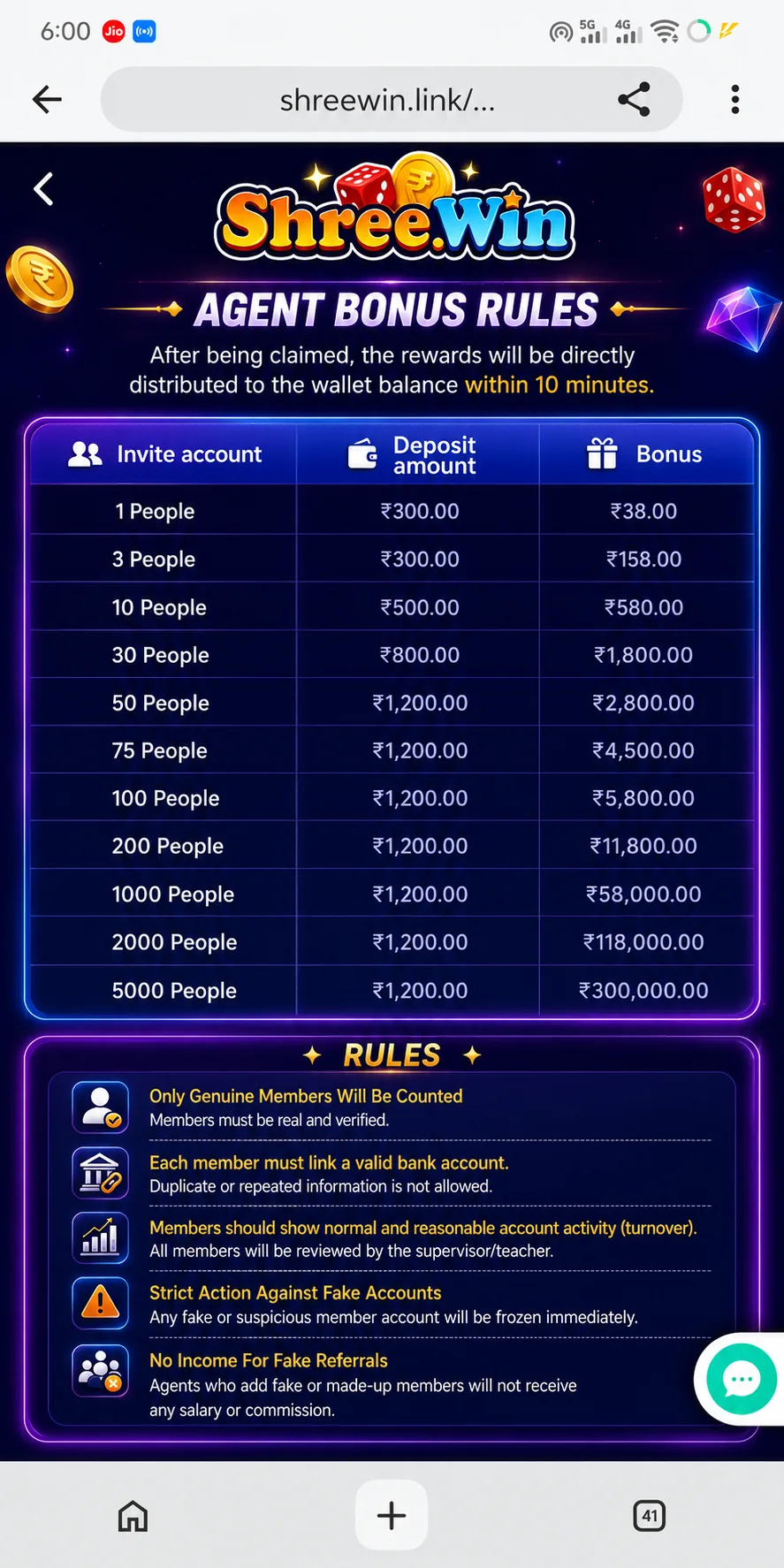
Step-by-step guide
Login and open the promotion or agency section.
The agency screen can show invitation code, team information and subordinate activity.
Compare the current thresholds with the live promotion rules.
Review required active members, deposits, valid betting or other conditions listed in the current campaign.
Share only the official invitation information provided to your account.
Use the activity or bonus history to confirm credited rewards.
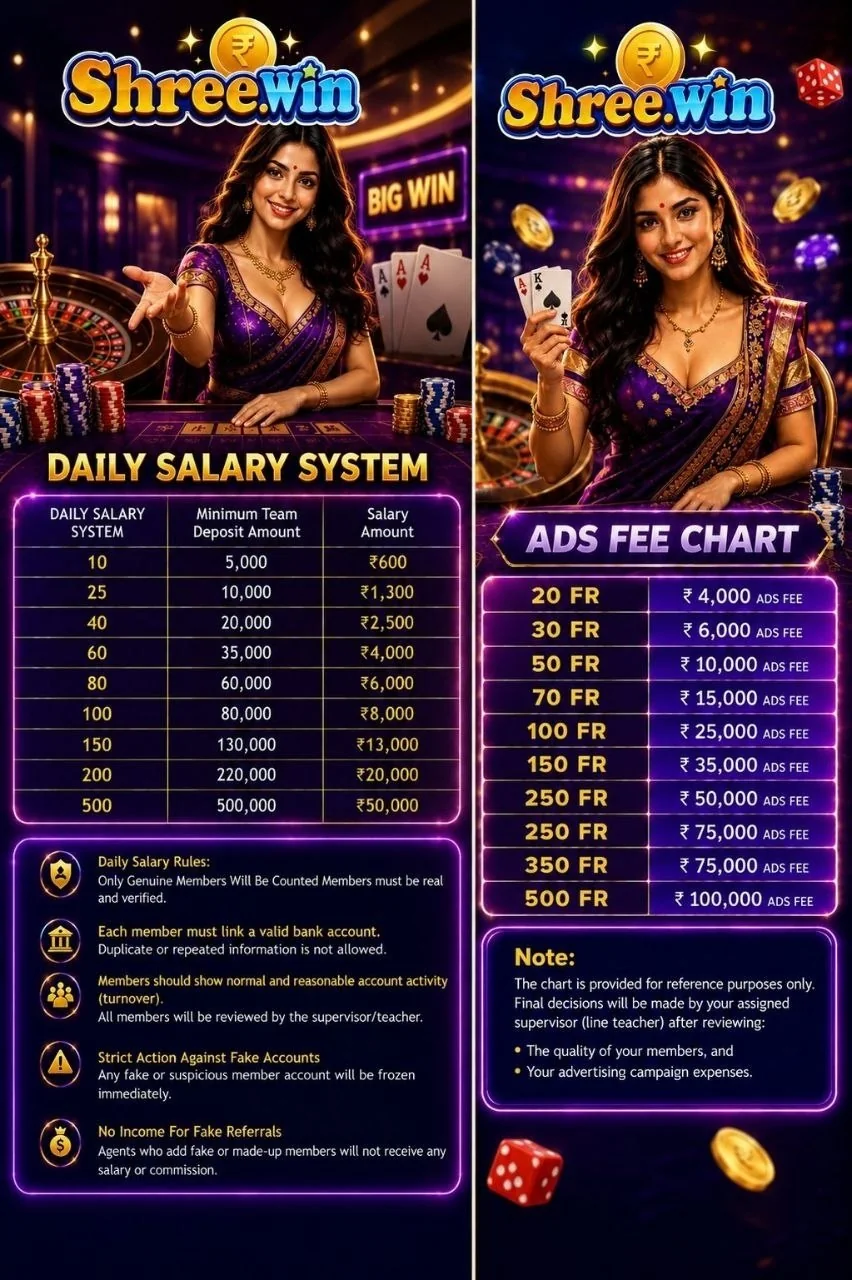
Agent Salary Chart
Reference image supplied for the current promotion information.
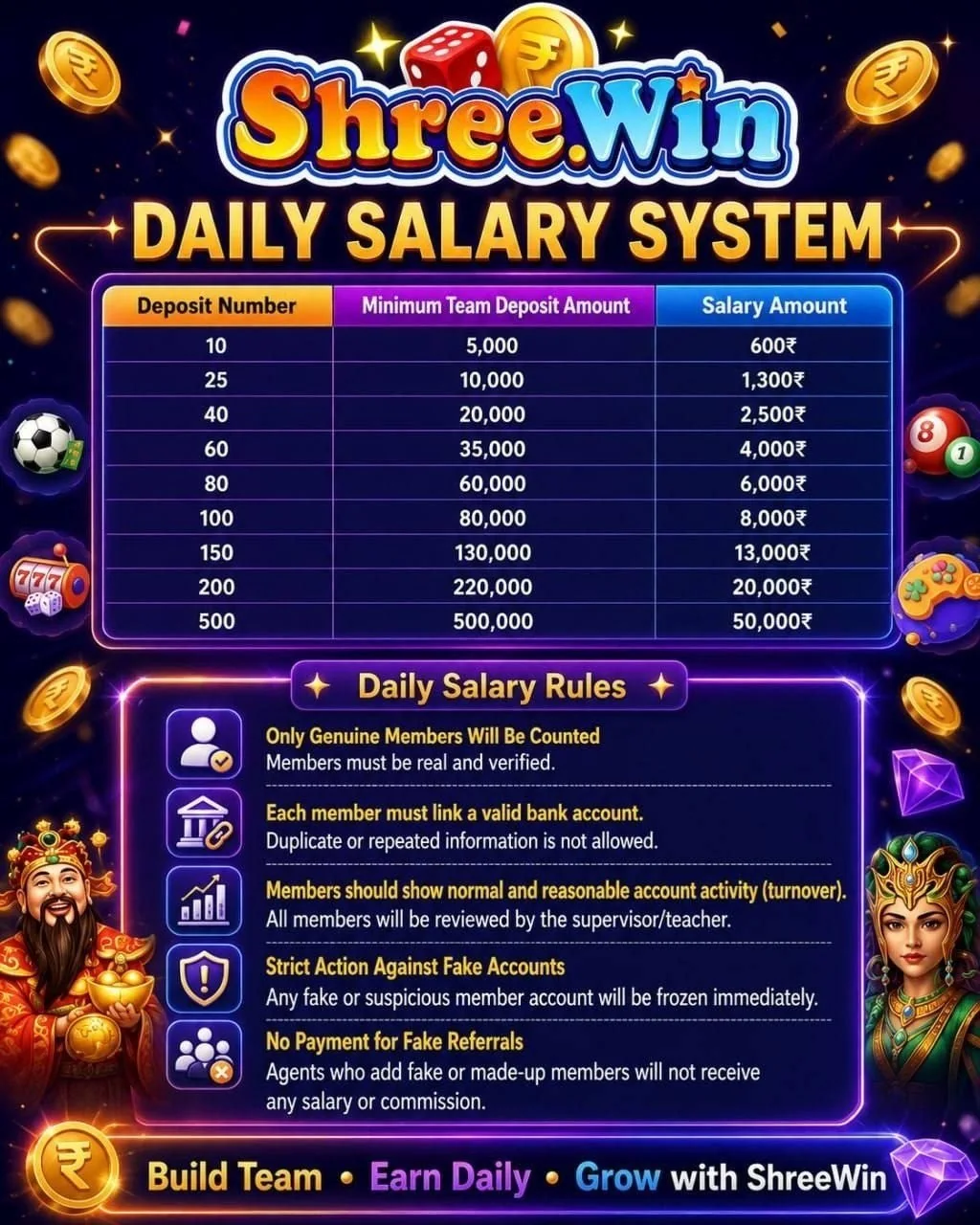
Daily Salary System
Review the live promotion page before relying on any amount.
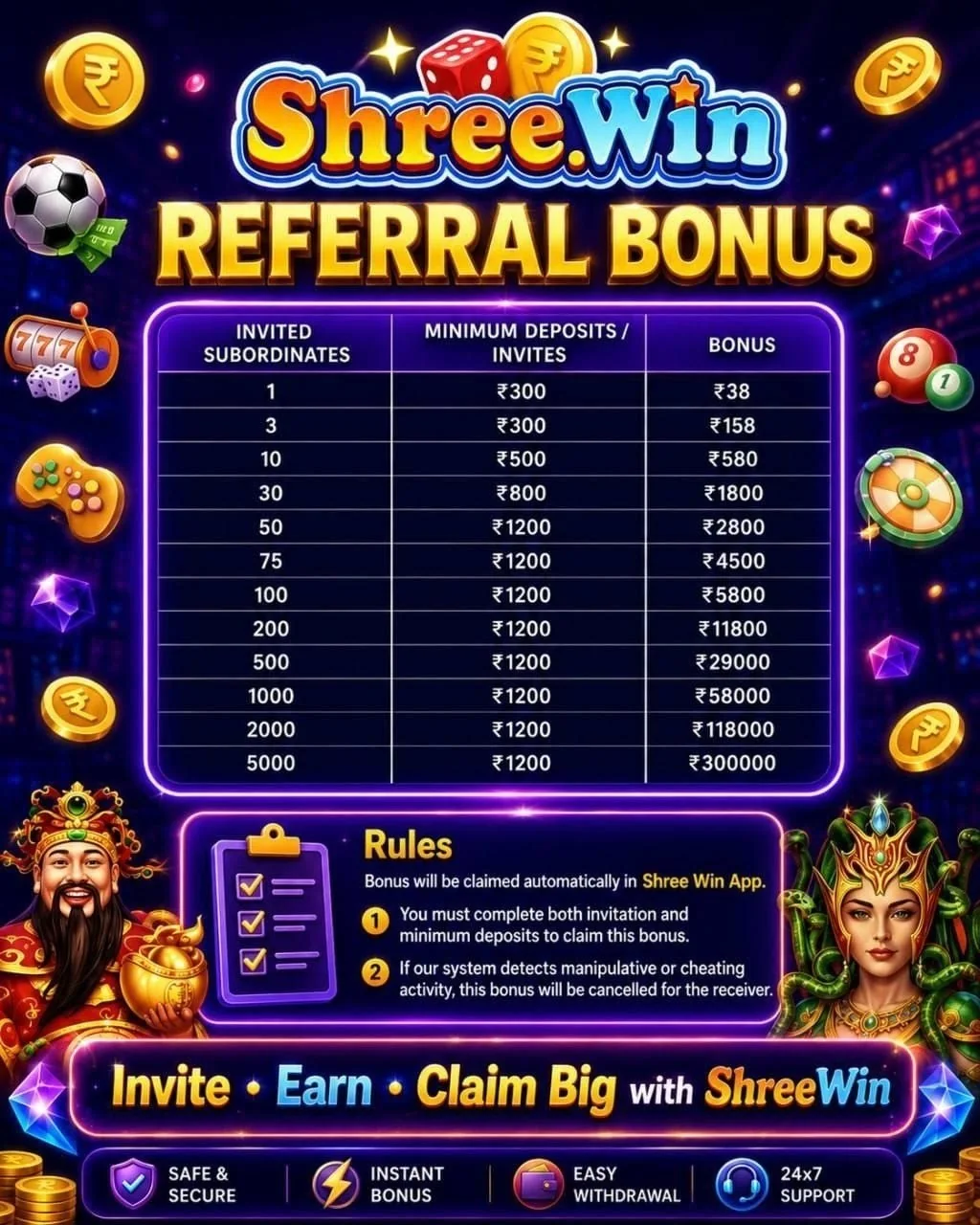
Referral Bonus
Referral thresholds and conditions can change.
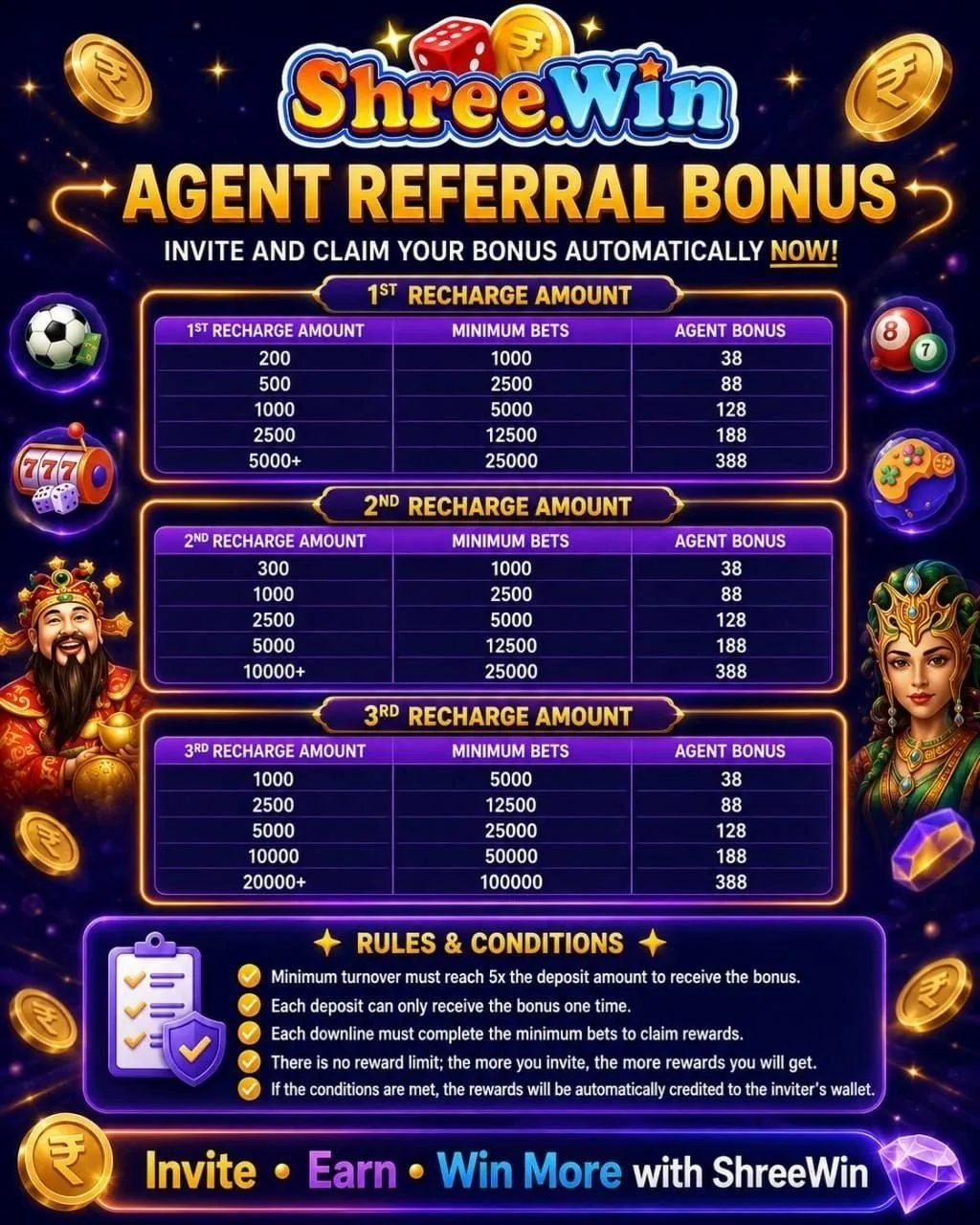
Agent Referral Bonus
Use the current in-account rules for eligibility.
Common questions
Is agent salary fixed?
No. Salary and referral promotions can be changed or discontinued. Use the live promotion rules for current figures.
What should I check before inviting others?
Read eligibility, qualifying-member requirements, deposit or activity conditions and any responsible-gaming restrictions.