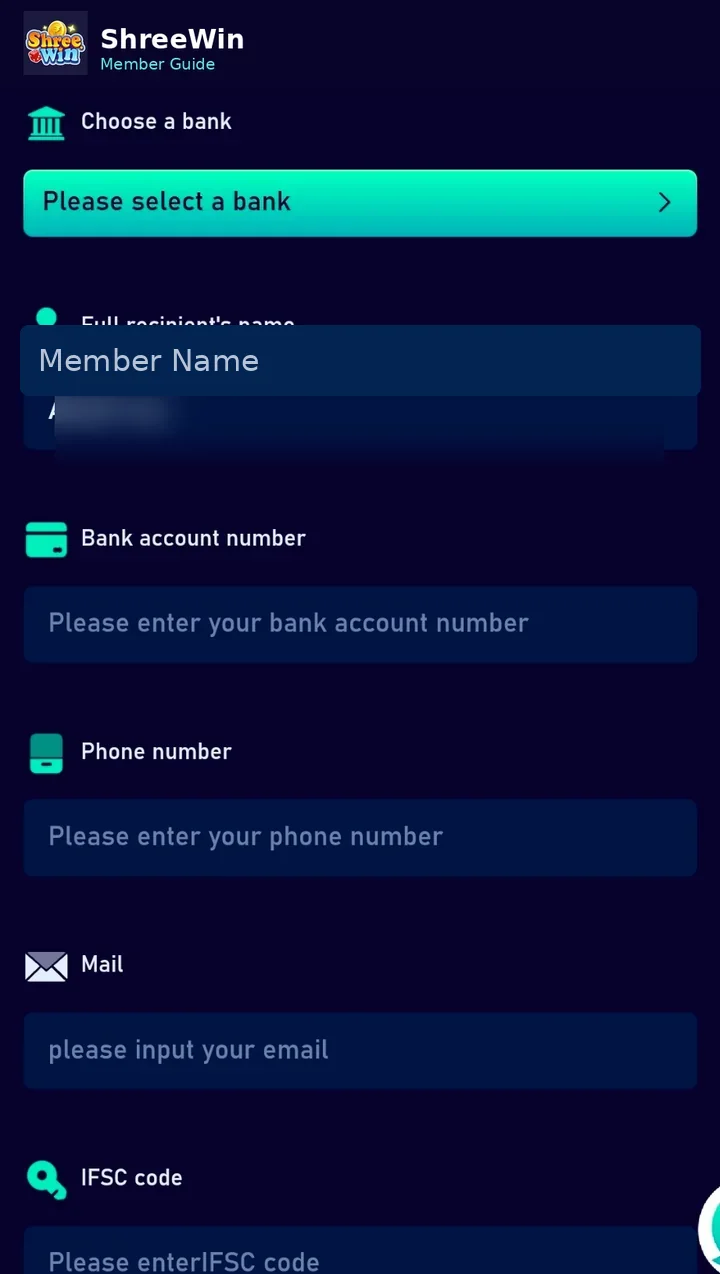
Step-by-step guide
Open the bank account section
Go to the payment or withdrawal method area and choose Add bank account.
Select your bank
Choose the bank from the list displayed in the form.
Enter the account holder name
Use the name requested for the bank account holder.
Enter the bank account number
Type the account number carefully and verify it before saving.
Add phone and email if requested
Complete the contact fields shown in the form.
Enter the IFSC code
Use the correct IFSC code for the bank branch and submit the form.
Account screens, payment channels, limits and promotion terms can change. Always follow the live options displayed after login and never share passwords, verification codes or private payment credentials.
Common questions
Why does the IFSC code matter?
The IFSC code identifies the bank branch used for electronic transfers in India.
Can I edit a wrong bank account later?
Available edit options vary. Check the current payment-method page before saving and use support if a saved method cannot be corrected.