Step-by-step guide
After login, open the wallet area and select Deposit.
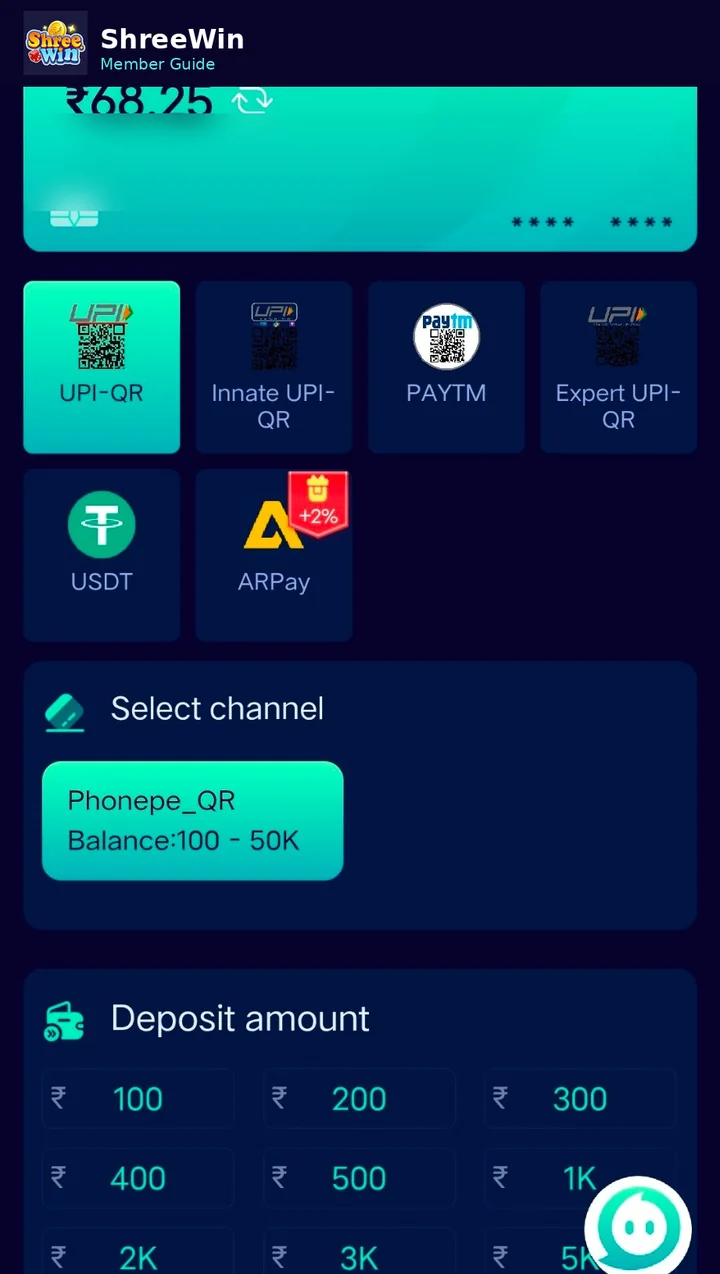
Available options shown in the supplied screen include UPI-related channels and USDT.
If more than one channel is available, choose the channel that matches the method you want to use.
Select a preset amount or enter an amount within the limits displayed for the selected channel.
Complete the payment using the UPI, QR or USDT instructions shown in your account.
After payment, use Deposit History or the wallet balance to confirm whether the transaction was credited.
Common questions
Which deposit method should I use?
Use only the payment method and channel currently displayed inside your account. Availability and limits can change.
How do I know the minimum deposit?
The active channel normally shows its balance range or minimum/maximum amount. Check the current screen before paying.