Step-by-step guide
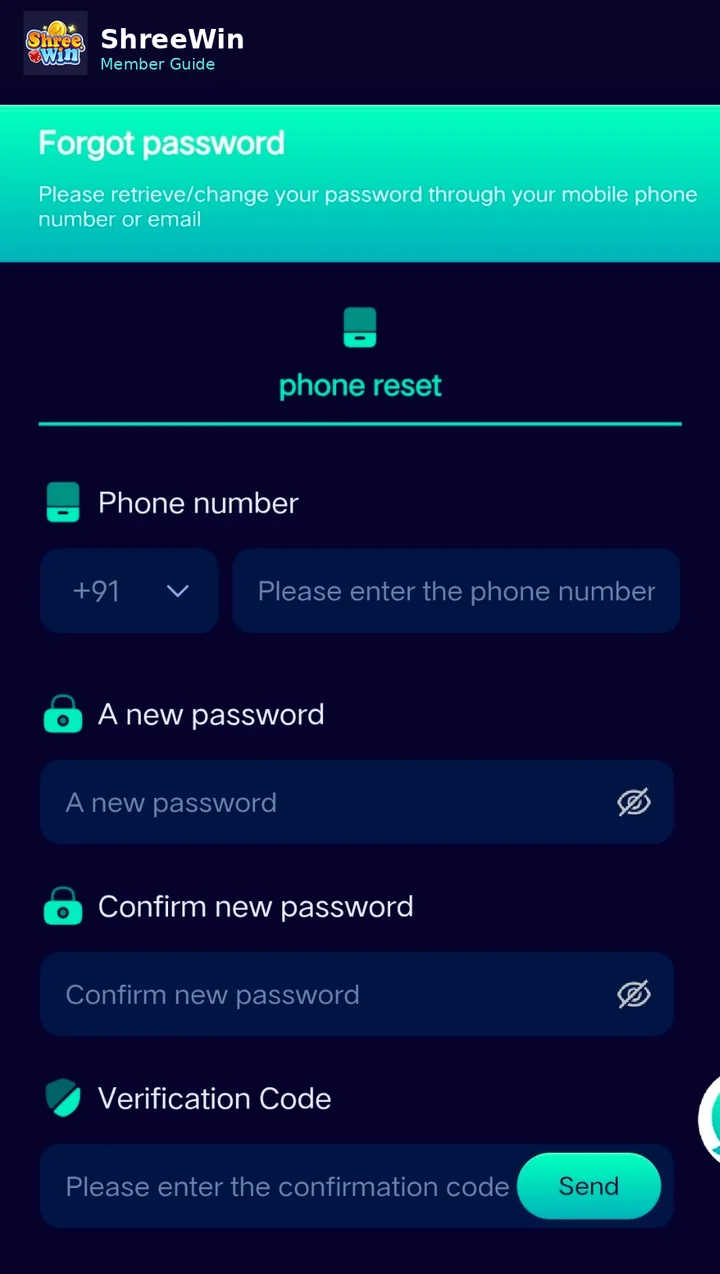
Open Forgot password
From the login screen, select the Forgot password option.
Enter the registered phone number
Use the same phone number linked with the member account.
Create a new password
Enter a new password and confirm it in the second password field.
Request the verification code
Tap Send to receive the verification code using the method shown on the page.
Enter the code and submit
Type the verification code, accept any required agreement and complete the reset.
Login with the new password
Return to the login page and use the new password.
Account screens, payment channels, limits and promotion terms can change. Always follow the live options displayed after login and never share passwords, verification codes or private payment credentials.
Common questions
What if I do not receive a verification code?
Confirm the phone number and country code first. If the issue continues, use the support or Telegram contact available on the site.
Should I share my verification code?
No. Keep password reset and verification codes private.