Step-by-step guide
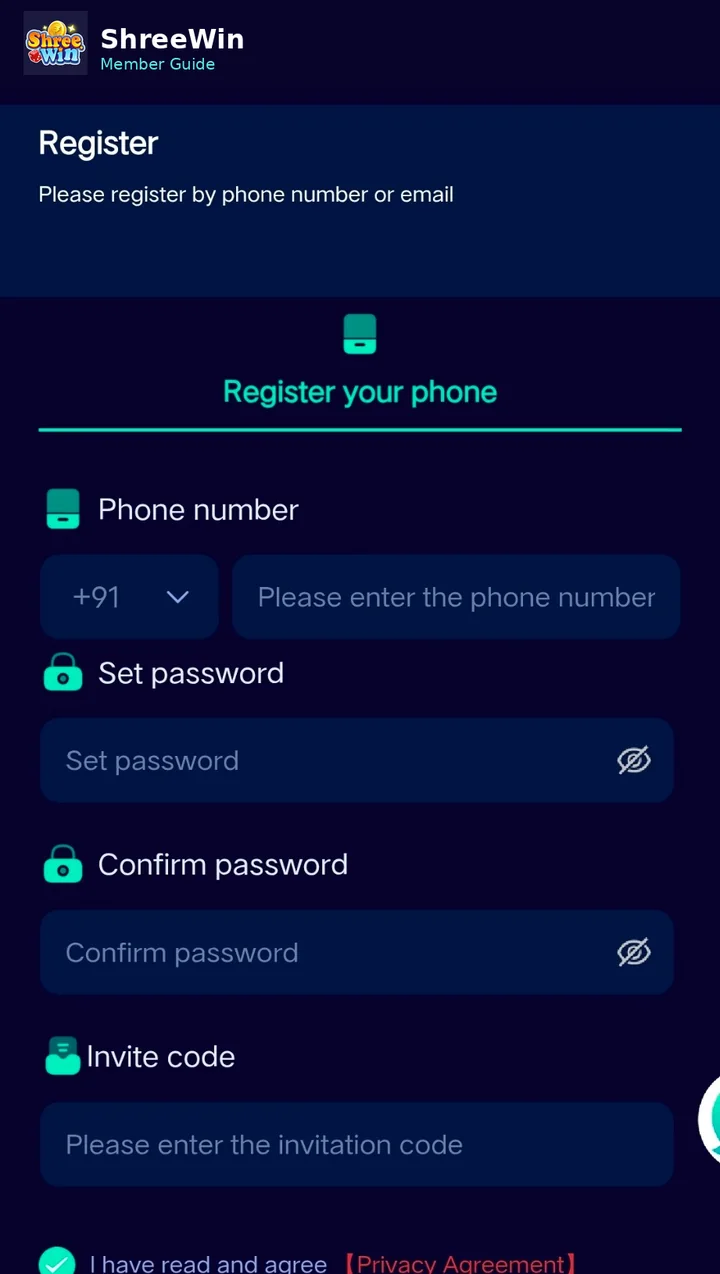
Use the Register button on ShreeWin and open the member registration form.
Choose the correct country code and type the mobile number you want to use with the account.
Set a strong password and enter it again in the confirmation field.
If your registration page asks for an invitation code, enter the code provided to you.
Review the privacy or account agreement shown on the registration form.
Submit the form. After successful registration, use the Login page to access your account.
Common questions
Can I register with a phone number?
The supplied registration screen shows phone-number registration. Available methods can change, so follow the options shown on the current registration page.
What if registration does not complete?
Check the phone number, password confirmation and any required invitation or verification fields before submitting again.