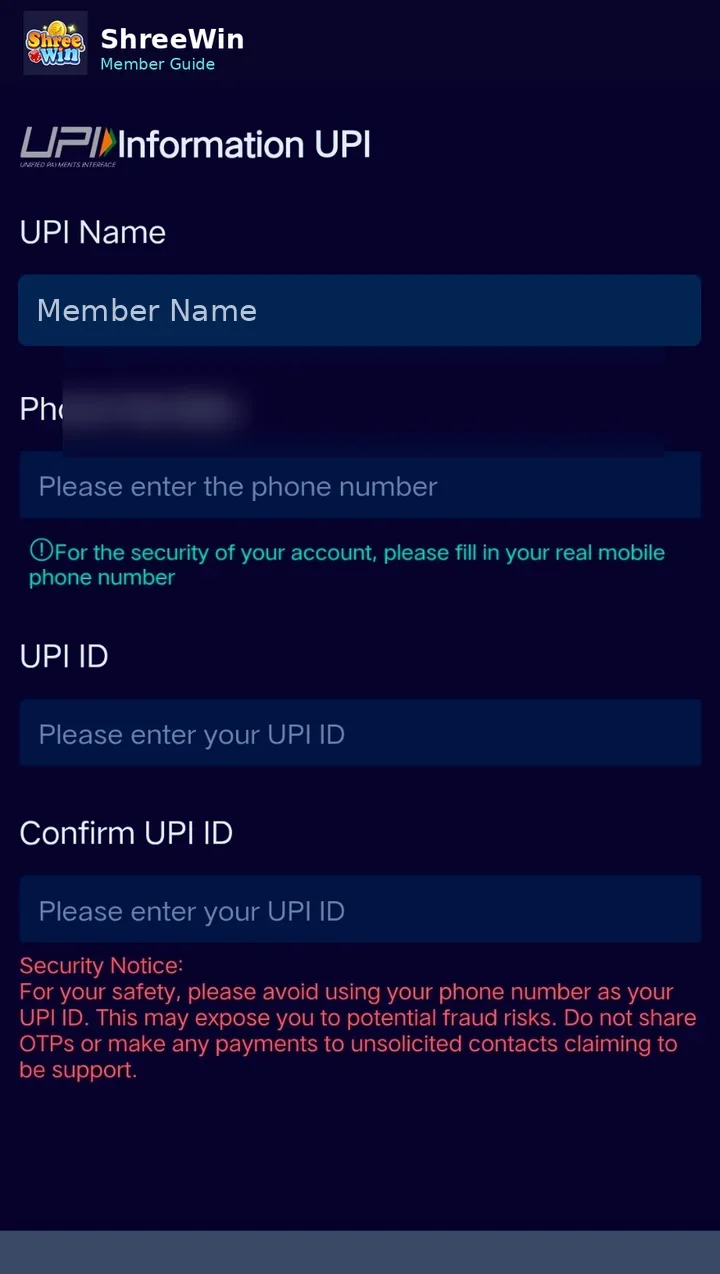
Step-by-step guide
Open Payment method
Go to the payment or payout method section inside your account.
Choose UPI
Select the UPI method when it is available.
Enter the UPI name
Type the name requested on the payment method form.
Enter your phone number
Use the phone number associated with your payment account where required.
Enter and confirm the UPI ID
Type your UPI ID carefully and repeat it in the confirmation field.
Save the method
Review all details before tapping Save.
Account screens, payment channels, limits and promotion terms can change. Always follow the live options displayed after login and never share passwords, verification codes or private payment credentials.
Common questions
What is a UPI ID?
A UPI ID is the payment address used by your UPI app, commonly in a format such as name@provider.
Why should I confirm the UPI ID?
The confirmation field helps reduce errors before saving a payment or withdrawal method.