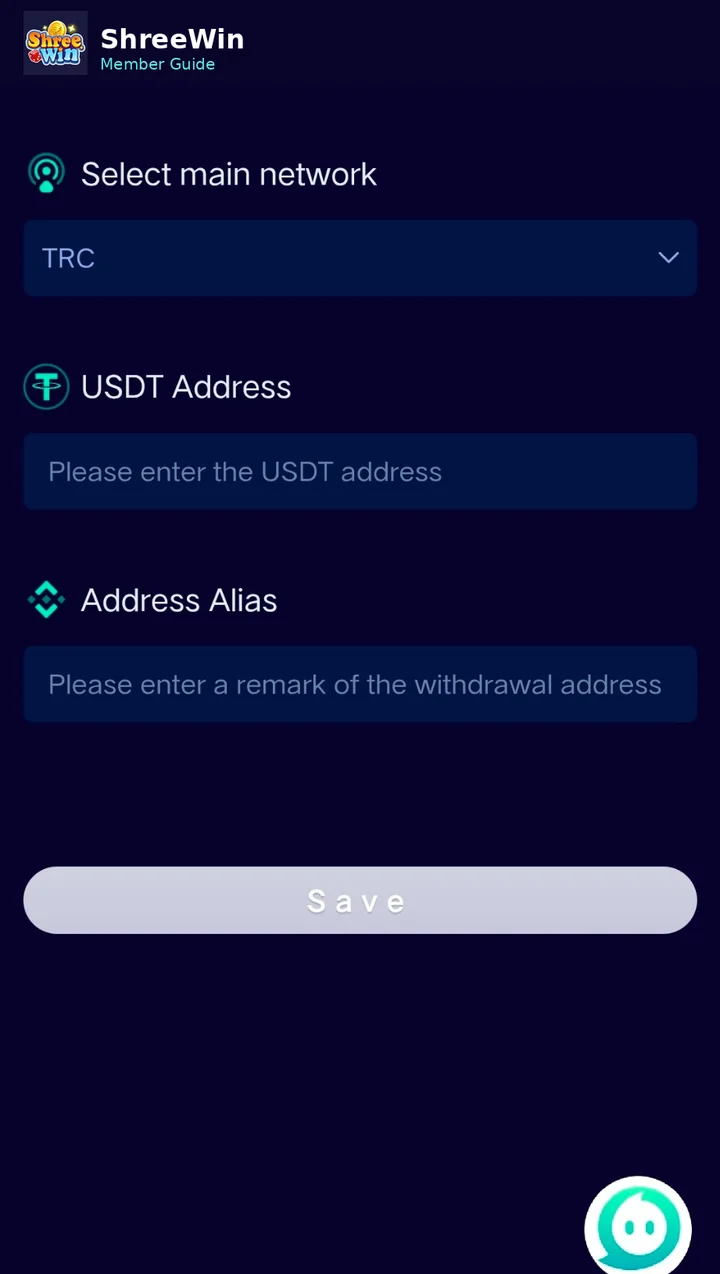
Step-by-step guide
Open Add USDT address
From the payment or wallet section, choose the option to add a USDT address.
Select the network
Choose the network shown in your account, such as TRC where available.
Enter the USDT address
Paste the destination wallet address carefully.
Add an address alias
If the form includes an alias field, use a short label that helps you recognize the wallet.
Save the address
Check the network and address before saving.
For deposits, choose a USDT channel
Open Deposit, select USDT and follow the current channel instructions and amount limits shown in your account.
Account screens, payment channels, limits and promotion terms can change. Always follow the live options displayed after login and never share passwords, verification codes or private payment credentials.
Common questions
Can I send USDT on any network?
No. The network on the sending wallet and the network selected on the receiving side must match.
What happens if I use a wrong wallet address?
Crypto transfers can be irreversible. Verify the full address and network before sending.