
Step-by-step guide
Open the wallet or payment-method area
Login and find the section used for payment or withdrawal methods.
Choose your payout method
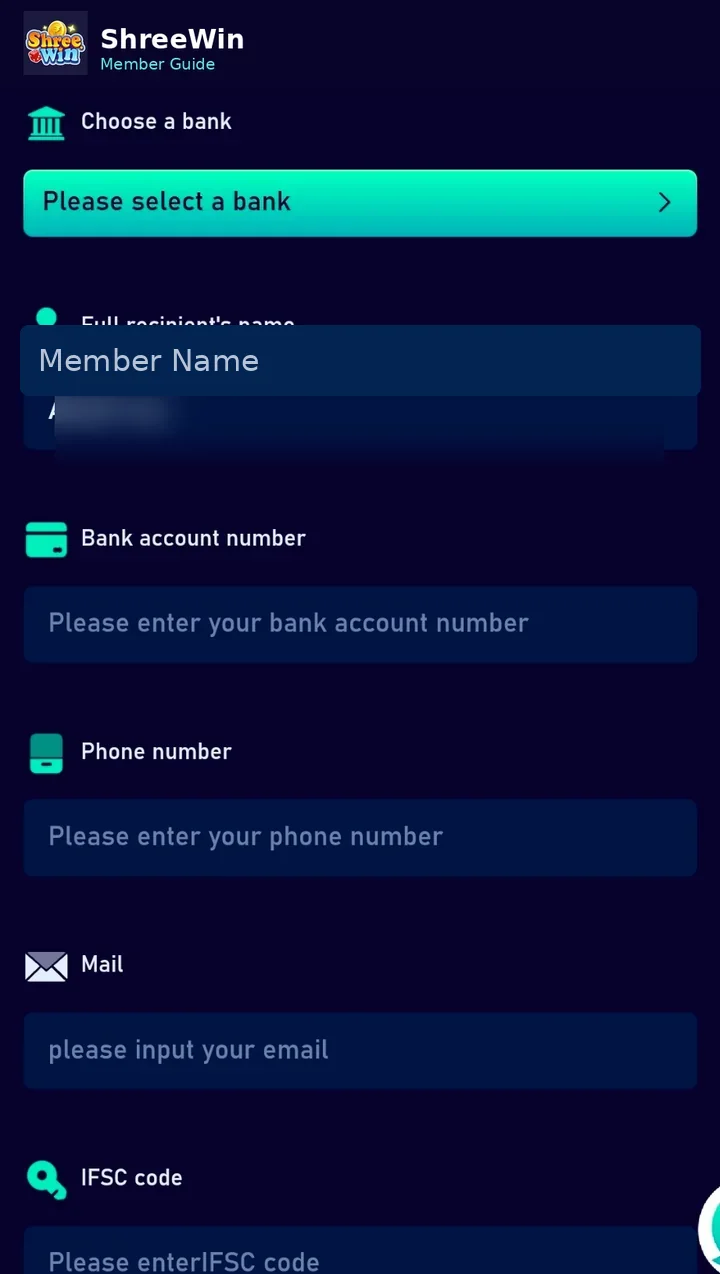
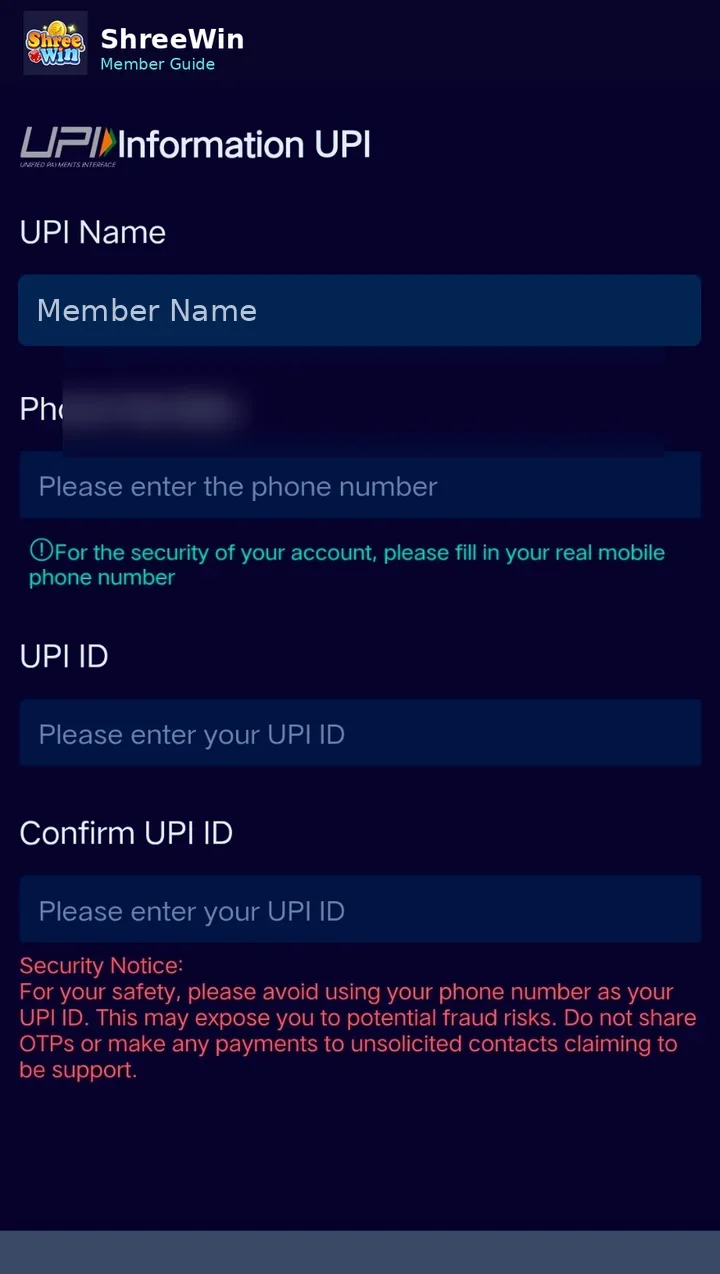
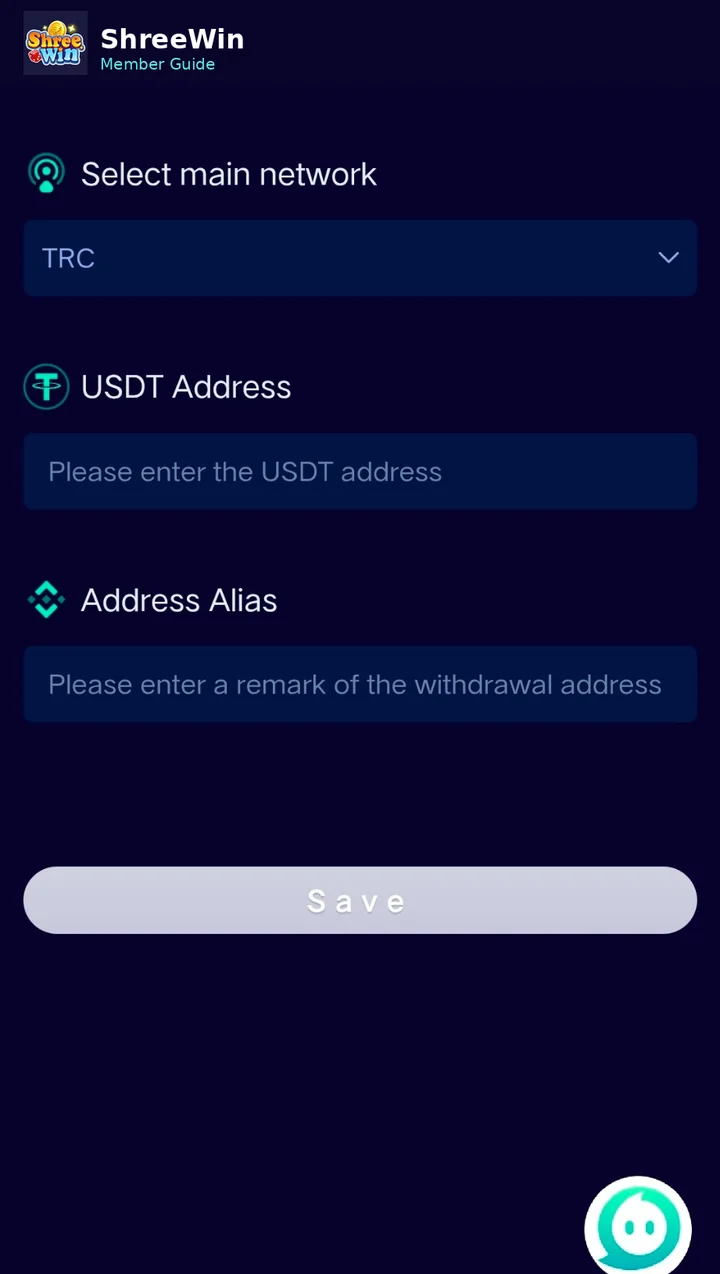
Select a method available to your account, such as bank account, UPI or USDT.
Add and verify the payout details
Enter the required bank, UPI or wallet information exactly as requested.
Save the payment method
Review all fields before saving, especially account numbers, UPI IDs, wallet addresses and crypto networks.
Open the withdrawal area
After a method is saved, use the withdrawal option available in the member wallet.
Review amount, fees and status
Before confirming a withdrawal, check any displayed minimum amount, processing information, fees and transaction status.
Account screens, payment channels, limits and promotion terms can change. Always follow the live options displayed after login and never share passwords, verification codes or private payment credentials.
Common questions
Why does the withdrawal page look different from the screenshots?
Member interfaces and available methods can change. Use the current options displayed after login.
Which withdrawal method is best?
Use the method you can verify and that is currently supported for your account. Check all fees and limits before confirming.